Solid Starts: Baby Food App
- 4.9
- Rating
- 1.00M
- Installs
- Free
- Price

 Analysis by App-foxy
When a baby is ready to explore solid food, the hardest part is often not finding a recipe. It is deciding how to serve one ordinary ingredient safely, especially when two adults are sharing care and each person remembers advice differently. I found Solid Starts most useful in that exact situation: as a quick reference for checking a food, choosing an age-appropriate preparation, and keeping the conversation at home focused on the same information rather than on conflicting guesses.
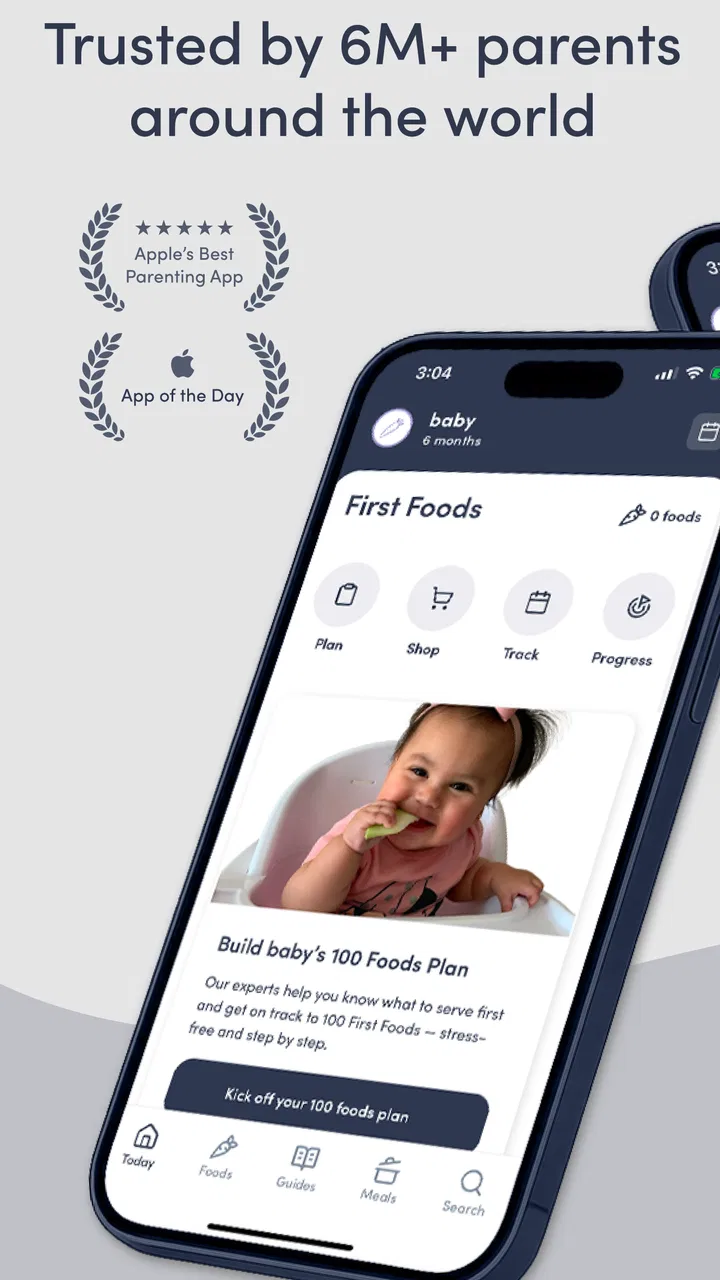
This is a free parenting app from Solid Starts, built around its First Foods database and baby-led weaning guidance. It is available to everyone by age rating, runs on Android from version 7.0 onward, and has reached over a million installs. Its average rating is 4.8 from around 21 thousand ratings, which matches my overall impression: it is polished, practical, and clearly designed for parents who want an answer while holding a hungry baby, not a long lecture.
How it works in a real shared household
My favorite way to use it is before a meal, not during a stressful moment. Imagine one parent has a ripe pear, the other is preparing the high chair, and a grandparent is asking whether the baby should receive slices, mashed fruit, or a small piece to hold. Instead of searching the wider internet and opening several contradictory pages, I would look up the pear in the database and use the entry to guide the preparation.
You May Also Like

 Blood Strike: 2.5 Anniversary
Blood Strike’s Loadouts Turn Every Drop Into a Tactical Gamble
A close look at Blood Strike’s custom loadouts: how fast access to signature weapons reshapes its battle royale rhythm, rewards preparation, and narrows the gap between fights.

 Pandora - Music & Podcasts
Pandora’s Music Is Easy to Start, but Harder to Recover
Pandora’s strength is its low-effort path from a seed to a station. Its weak spot is how much confidence it asks you to place in connection, setup, and quiet recovery.

 8 Ball Pool
 Is Built on Rivalries, Rematches, and Routine
A close look at the rivalries, rematches, shared routines, and unanswered safety questions that turn a quick pool match into a persistent mobile community.

 Samsung Music
’s Quiet Strength Is Playing What You Already Own
Its reach comes less from spectacle than from dependable access to a personal library. That simplicity is both the app’s strongest retention engine and its ceiling.

 AccuWeather: Weather Radar
AccuWeather Review: A Quick, Clear Forecast for Everyday Decisions
For everyday plans, the best forecast is the one you can understand quickly. AccuWeather makes rain timing, radar, and local conditions easy to act on, with a few trade-offs.

 Hill Climb Racing
Why Hill Climb Racing Still Turns Crashes Into One More Run
A tiny car, a bumpy hill and one more upgrade: Hill Climb Racing keeps resurfacing because its simple chaos makes every near-miss feel personal.
More From Our News Desk



That workflow matters because the app is less about collecting meal ideas and more about answering a focused question: how can this particular food be introduced? The database gives the app a clear purpose. I can check an ingredient, review the suggested way to offer it, and then explain the same approach to someone else in the household. It turns a vague “Is this okay?” into a more useful discussion about texture, shape, and the child’s stage.
For a shared device, this is especially convenient. A partner can open the same reference without needing me to repeat what I read earlier. A caregiver can also see the food entry directly rather than relying on a hurried message such as “cut it small.” That phrase can mean very different things to different people. The app encourages more precise conversations, although the adults still need to agree on what they will actually do.
I would not treat it as a substitute for watching the child. The screen can help with preparation, but it cannot judge whether a baby is tired, sitting securely, handling a texture comfortably, or ready to continue eating. My practical rule is to use the app before serving, put the phone aside during the meal, and keep attention on the child.
What the First Foods database adds
The strongest part of the experience is the food-by-food approach. New parents often think they need a complete weekly menu before they begin, but that can create unnecessary pressure. A database lets me start with what is already in the kitchen. If dinner includes avocado, broccoli, toast, or another everyday ingredient, I can check that item rather than redesigning the entire household menu.
That makes it useful for families who want to try baby-led weaning without turning every meal into a special project. I can prepare the adult meal in a simple way, set aside a suitable portion, and consult the relevant entry before serving. The app becomes part of the cooking routine instead of a separate planning job.
A less obvious benefit is that it can help adults compare preparation choices. One caregiver may instinctively puree everything, while another may offer finger foods immediately. Looking at the same entry gives them a starting point for discussing why a certain shape or texture might be more suitable. It does not remove the need for judgment, but it reduces the chance that household decisions are based only on habit.
I also appreciate that the database encourages ingredient-level exploration. That is more useful to me than a collection of attractive recipes when the baby is still learning how food feels in the mouth. Recipes can be inspiring, but they can also hide the important question of how each component should be served. Here, the ingredient remains visible.
Setting boundaries before another caregiver uses it
The app is easy to share informally because it does not require a complicated handover. Still, I would establish a few household boundaries before giving it to a partner, babysitter, or relative. The first is that the app is a reference, not permission to introduce every listed food immediately. The child’s developmental readiness, medical history, and advice from a health professional remain separate considerations.
The second boundary is to agree on who makes the final decision when the app and a professional recommendation seem to point in different directions. I would follow the clinician who knows the child, particularly where allergies, swallowing concerns, growth, or other medical issues are involved. The app is most valuable for organizing everyday choices, not for resolving individual medical questions.
The third is to avoid assuming that a food entry settles every safety issue. Preparation changes the risk and the experience. A caregiver still needs to consider whether the food is cooked appropriately, whether the child is seated properly, and whether an adult is present. I see the app as a prompt to think through those details, not as a replacement for them.
There is also a practical account boundary to consider. I would not expect a shared household to use the app as a formal family-management system. Its value is in opening the same information on a common phone or passing the device across the kitchen. If a family needs separate profiles, detailed caregiver permissions, or a central record of every feeding decision, this may feel too simple.
That simplicity can be a strength. There is less setup before the first useful search, and a grandparent does not need to learn a complicated dashboard. The trade-off is that coordination happens through conversation. The app can support a family agreement, but it does not create one automatically.
Coordinating meals without overcomplicating them
I found the most effective routine to be a short three-step check. First, the person preparing the meal looks up the ingredient. Second, the adults agree on the preparation and portion they will use. Third, whoever is feeding the baby follows that plan while staying attentive to the child. This sounds basic, but it prevents the common household problem where one person prepares food and another changes it at the last minute without explaining why.
For a couple sharing night and morning duties, the app can act as a common vocabulary. Instead of sending a photo and asking whether it looks right, one person can say which food was checked and what preparation was chosen. That makes handoffs clearer. It is particularly helpful when one caregiver has done more reading than the other and wants to share a practical method without sounding like they are issuing a correction.
I would keep a small list of foods the household is considering and check them one at a time before shopping or cooking. This is more efficient than browsing randomly. It also prevents the app from becoming another source of decision fatigue. The goal is not to introduce a huge variety in one afternoon; it is to make the next meal feel manageable.
Another useful habit is to check the entry while the food is still whole, then prepare it away from the screen. That avoids handling a phone with messy hands and keeps the meal calmer. If someone else is feeding the baby, I would show them the relevant guidance in advance rather than expecting them to search while the child is waiting.
The limitation is that the app does not replace a shared written household plan. If several caregivers rotate through the week, I would still communicate allergies, foods already tried, and any instructions from a pediatric professional separately. The database can help with today’s ingredient, but it should not be mistaken for a complete medical or feeding log.
Age context, trust, and responsible use
The app is marked for Everyone, which makes sense for a parenting reference rather than an entertainment product. That label describes who can access the app; it does not mean every food or every feeding method is suitable for every baby. Parents still need to interpret the guidance in the context of their own child’s development.
The release history also suggests an established product rather than a brand-new experiment: it was released in May 2021, and the current version is 4.3.0. I mention that because families often want a resource they can keep using through the early feeding period. At the same time, an app can be updated while a child’s needs change, so I would continue checking current professional advice instead of assuming that one digital reference covers every stage.
Trust is where I would be most careful. A high average rating and a large audience make the app feel reassuring, but popularity is not the same as individual medical suitability. I like it for practical food preparation and baby-led weaning education. I would not use it to diagnose a reaction, decide how to manage a known allergy, or answer an urgent choking concern.
For a child with feeding difficulties or a family already working with a specialist, the app may still offer useful ideas, but the specialist’s instructions should lead. In that situation, I would use the database as a conversation aid: bring up a food, compare its general preparation guidance with the child’s plan, and follow the professional’s adaptation. That is a more responsible use than treating the app as an authority over individualized care.
Parents who prefer traditional spoon-feeding may also find parts of the app less relevant. Its identity is closely tied to first foods and baby-led weaning, so someone looking only for purees, batch-cooking schedules, or a strict menu may be better served by a resource designed around those needs. The app can still broaden their options, but it is not the most natural fit for every feeding philosophy.
Free access, paid extras, and everyday friction
The app is free to download, which makes it easy to test without committing money at the start. There are in-app purchases ranging from $1.99 to $99.99 per item, so I would pay attention to what is available without buying and whether an optional upgrade matches my actual routine. A parent may only need occasional database checks, while another may want to explore more of the app’s paid material.
That price range is the main reason I would avoid assuming that the entire experience is equally open. The free entry point is useful, but families should look at the purchase screen carefully before confirming anything, especially on a shared device. If several adults use one phone, agreeing on who can make purchases is sensible even when the app itself is used casually.
The shared-device angle also exposes a small weakness: the person holding the phone controls the immediate context. If one caregiver searches a food and another later remembers only part of the guidance, the app cannot guarantee that both people understood it the same way. I would solve that with a quick verbal handoff, not by expecting the software to manage the family.
Another possible friction is the temptation to browse endlessly. A large database can make parents feel that they should introduce everything in a carefully optimized order. I think the better approach is narrower: use it to answer the next practical question, then return to the child and the meal. Its usefulness drops if it turns feeding into constant research.
On the technical side, the minimum Android requirement is version 7.0, so it should suit many older Android phones, though device performance and screen size can still affect comfort. The app is also available in the mobile-app space rather than as a replacement for a conversation with a clinician. Those boundaries are worth remembering before making it the household’s only feeding resource.
Who will benefit most, and who should choose something else
I would recommend it most strongly to first-time parents who want baby-led weaning guidance in a searchable, food-specific format. It is also a good fit for households where feeding duties are shared and one person wants a simple way to bring another caregiver into the same preparation process.
It suits people who cook ordinary family food and want to adapt part of it for a baby. The database is more immediately helpful in that setting than a recipe app that assumes separate baby meals. It can also help a nervous caregiver move from general anxiety to one concrete decision about one ingredient.
I would be more cautious recommending it to families seeking a complete feeding record, individualized clinical advice, or formal multi-user coordination. A dedicated health-tracking tool may be better for logging reactions and appointments, while a clinician or feeding specialist is the better source for medical decisions. Someone who wants a full meal calendar may prefer a planning app with menus and shopping lists.
It is also not ideal for a household that dislikes baby-led weaning or wants every instruction reduced to a strict universal rule. Feeding is contextual, and the app works best when its guidance is used thoughtfully. If a parent wants certainty without interpretation, this format may feel less comfortable than a professional-led plan.
My household verdict
After using it as a practical reference, I see Solid Starts as a helpful companion for the transition to real food, especially when several adults share feeding responsibilities. Its best quality is not that it promises to remove uncertainty; it gives the household a sensible place to begin when an ingredient is unfamiliar or a preparation choice is being debated.
I like the combination of a free starting point, a focused First Foods database, and guidance shaped around baby-led weaning. The app’s strongest workflow is simple: check the food before the meal, agree on the preparation, and let the adult at the table concentrate on the baby rather than on searching. That is a small change, but it can make shared care feel much more consistent.
The limits are equally important. It is not a family account manager, not a feeding diary, and not a medical professional. Paid items may change how much of the wider experience is available without extra spending, and families with specialized needs may require a more individualized resource. Those are not reasons to dismiss it; they simply define the role it can realistically play.
For me, the right recommendation is this: download it if you want a quick, ingredient-by-ingredient guide and expect to use it alongside attentive feeding and professional advice when needed. Keep the household conversation active, set clear boundaries for other caregivers, and do not let the phone become the center of the meal. Used that way, this parenting app earns a useful place in the kitchen rather than becoming another source of pressure.
FAQs for Solid Starts: Baby Food App
01What age range is Solid Starts: Baby Food App suitable for?
Solid Starts: Baby Food App is designed for parents introducing solid foods to their babies, typically starting at around six months of age. The app provides guidance and information on feeding strategies and nutritional needs for infants and toddlers up to three years old, making it a versatile tool for early childhood nutrition.
02How does the app assist with allergens and dietary restrictions?
The app offers a comprehensive database of foods, highlighting potential allergens and suggesting alternatives for common dietary restrictions. This feature helps parents safely introduce new foods to their babies while managing allergies or specific dietary needs, ensuring a balanced and safe introduction to solids.
03Can the app be used offline?
Yes, Solid Starts: Baby Food App provides offline access to its extensive food database and resources. This feature allows parents to use the app conveniently in various settings, such as at the grocery store or while traveling, without needing an active internet connection.
04What type of support does the app offer for first-time parents?
The app includes a wealth of resources, including step-by-step guides, videos, and expert advice to support first-time parents. It covers topics from food preparation to portion sizes and feeding techniques, ensuring parents feel confident and informed during their baby's transition to solid foods.
05Does the app track my baby's food preferences and reactions?
Yes, the app includes a feature that allows parents to log their baby's food preferences and monitor any reactions. This personalized tracker helps parents keep a detailed record of what foods their baby enjoys and any adverse reactions, aiding in better meal planning and safety.
Pros
- Extensive database of baby foods.
- Nutritional information is detailed.
- User-friendly interface.
- Search function is efficient.
- Includes allergy warnings.
Cons
- Limited free content available.
- No offline mode for data access.
- Requires registration to use.
- Occasional crashes reported.
- In-app purchases can be pricey.

Solid Starts: Baby Food App
Gallery